Want to "move" to new system with "business data" of the past, together ?
It's the 'migration' that most of SIers hate. Customers of Questetra often ask question about it.
However...
In the first place, "the date of processed" of each Tasks is that important. It doesn't make much sense to move "business data" as final deliverable alone. No, rather you shouldn't move 'business data' at all... (Whoops, I shouldn't be curt that way. Some people want solution seriously.)
If you do want to migrate "business data" in your workflow to your new system, you've got to do is to setup a 'data spout'. For a concrete example, I will show you a process model in my latest article "Learn BPMN by 'Daily Report'". The workflow definition (Workflow Diagram) below looks like the same as the one before at a glance. But there added one strange Start point.
Showing posts with label Financial and accounting. Show all posts
Only few Nations allow companies to simply include their Entertainment Expenses. As a general rule, it should not be the "deductible" on the tax in Japan.
It is persuasive in the logic of governor saying;
However, We cannot say it's always a rational system, because "judging if it is entertainment expense or not" is tiresome, and the "Tax calculation" is complicated.
From the BPM (Business Process management) point of view, it's not few cases to simplify the company's system to smoothen the process through in-house. In my personal opinion, National system should apply the directivity for labor saving on paperwork with IT. That is, now is the time for driving great simplification force on Tax system.
More specifically, I want the nation to show the directivity of abolishing the income tax (taxpayer and who bears are the same) that is a direct tax which is extremely difficult to calculate and to capture, and focus on the indirect tax that is the high rates of payments automation.
(Oops, I am introducing the business template...)
Here I introduce you a Workflow in which let an employee application in beforehand of 'entertainment', and if necessary, give the employee a lecture for expenditure, to include the entertainment fee as 'Expense' anyhow.
It is persuasive in the logic of governor saying;
- Must tax for every economic benefit.,or
- It's unfair that taxing less corporate taxes on the companies often spending on useless matters.
However, We cannot say it's always a rational system, because "judging if it is entertainment expense or not" is tiresome, and the "Tax calculation" is complicated.
From the BPM (Business Process management) point of view, it's not few cases to simplify the company's system to smoothen the process through in-house. In my personal opinion, National system should apply the directivity for labor saving on paperwork with IT. That is, now is the time for driving great simplification force on Tax system.
More specifically, I want the nation to show the directivity of abolishing the income tax (taxpayer and who bears are the same) that is a direct tax which is extremely difficult to calculate and to capture, and focus on the indirect tax that is the high rates of payments automation.
- a. Indirect taxation to the public utility charges which is more efficient in settlement procedure, and to be suppressed. (electricity, water, etc. )
- b. Commensurate indirect taxation on legalizing gambling and adult entertainment businesses.
- c. Strengthening of indirect tax to luxury goods such as gasoline, alcohol and tobacco.
(Oops, I am introducing the business template...)
Here I introduce you a Workflow in which let an employee application in beforehand of 'entertainment', and if necessary, give the employee a lecture for expenditure, to include the entertainment fee as 'Expense' anyhow.
[Application for Entertainment Expense]
Monthly tasks to do.
For general employee, it will be submitting Attendance record, applying for Reimbursement of expenses, etc.
In other hand, for the managers of general administration department or sales department, maybe it will be to and so on.
The motivation is high for developing a Workflow on usual monthly processing of Accounting Department or Labor - Personnel Department, because many employees use it.
But, Workflow development on tasks for only few employees such as creating monthly trial balance and updating sales forecast, tend to be put off.
However, the meaning of designing those into Workflow, which make sales management operations into official records is very large. For example, new coming "Data Viewer" such as new coming executive can browse recorded data of business process of the past at any time.
For general employee, it will be submitting Attendance record, applying for Reimbursement of expenses, etc.
In other hand, for the managers of general administration department or sales department, maybe it will be to and so on.
The motivation is high for developing a Workflow on usual monthly processing of Accounting Department or Labor - Personnel Department, because many employees use it.
But, Workflow development on tasks for only few employees such as creating monthly trial balance and updating sales forecast, tend to be put off.
However, the meaning of designing those into Workflow, which make sales management operations into official records is very large. For example, new coming "Data Viewer" such as new coming executive can browse recorded data of business process of the past at any time.
[Sales Prospect Monthly Report flow]
Digitalization on office documents has been spreading nowadays, but when it comes to 'bills', many companies still are sending them by postal service. It is true that there are some clients who require to be sent by postal, but we believe number of companies want to digitalized also on bills.
(Well, 10 years later? I say 5 years (!) to paper bills to be extinct.)
In the following Workflow sample, only from 'bill issuance' to 'Payment confirmation' are defined to Workflow. It is a Hybrid type of "postal send" and "Email send" so that you can choose according to the bill.
Anyone can check the progress and the result at anytime.
[Bills to Payment flow]
Workflow to Cut 80% of the Cost of Administrative Processing on Expense Reimbursement
Monday, March 12, 2012
Even abstruse business processes, can be understood by anyone looking at the flow chart of the business(flow diagram)!
Among variety of 'Flow diagram writing', the advantage of "BPMN, method of drawing Workflow" is people can understand just by looking at it even they don't know the word of BPMN.
Recently, not only for companies but, even in government agencies and voluntary organizations, the case of to take advantage of BPMN to review business has been increasing rapidly. It is well-received for "easy to learn to work" to newcomers such as rookies and personnel reshuffling. It is quite reasonable to give priority to BPMN than business manual.
1. Draw in BPMN to exactly share in-house, even if it was a simple business process.
2. Build information system by using defined BPMN. (BPM tool)
3. Furthermore improve business process based on the results of operation of the information system.
By the way, surprisingly it is difficult to operate business process which need to be "in conjunction with paper". Here, we would like to think about "Expense Reimbursement Application" which typical of those 'business in paper'.
※ BPMN: Business Process Modeling Notation (1.x) / Business Process Model and Notation (2.0 and later)
Rules of notation for visualizing business procedures easy-to-understand showing in the drawing. A modeling method that is effective to describe 'series of business process' which multiple human (or machine) involved. It has the feature such as 1. Can be understood at first sight by the people who are not IT engineer, 2. Directly related to system implementation. Fundamental technology of Business Process Management tool. We are using BPMN method in "Workflow Sample" that providing template of business flow.
Among variety of 'Flow diagram writing', the advantage of "BPMN, method of drawing Workflow" is people can understand just by looking at it even they don't know the word of BPMN.
Recently, not only for companies but, even in government agencies and voluntary organizations, the case of to take advantage of BPMN to review business has been increasing rapidly. It is well-received for "easy to learn to work" to newcomers such as rookies and personnel reshuffling. It is quite reasonable to give priority to BPMN than business manual.
1. Draw in BPMN to exactly share in-house, even if it was a simple business process.
2. Build information system by using defined BPMN. (BPM tool)
3. Furthermore improve business process based on the results of operation of the information system.
By the way, surprisingly it is difficult to operate business process which need to be "in conjunction with paper". Here, we would like to think about "Expense Reimbursement Application" which typical of those 'business in paper'.
※ BPMN: Business Process Modeling Notation (1.x) / Business Process Model and Notation (2.0 and later)
Rules of notation for visualizing business procedures easy-to-understand showing in the drawing. A modeling method that is effective to describe 'series of business process' which multiple human (or machine) involved. It has the feature such as 1. Can be understood at first sight by the people who are not IT engineer, 2. Directly related to system implementation. Fundamental technology of Business Process Management tool. We are using BPMN method in "Workflow Sample" that providing template of business flow.
[Expense Reimbursement flow_Digital Receipt]
A concept of "Group", which is employed in many system such as Os including UNIX / Linux, or directory services as well as business system. In recent years, Google Apps become having two concepts, "Organization" and "Group".
"Organization" is to manage a company's organizational structure in a tree structure. "Sales" "Marketing Department", "Corporate Planning Department"... To each belonging member is configured. That configuration is not set so often except Move or organizational change. In other hand, for "Group" can be set variety of coordination, regardless of the organization structure. "Football club", "Board of Directors" "General Manager (s approvable of 500,000 yen)," etc.
Now, we call it "Role" on a group which can be set without regard to organizational structure in Questetra BPM Suite. (Ver 8.3 or later) Let's see how a Decision making Workflow is defined with both of "organizational structure" and "Role approval authority".
"Organization" is to manage a company's organizational structure in a tree structure. "Sales" "Marketing Department", "Corporate Planning Department"... To each belonging member is configured. That configuration is not set so often except Move or organizational change. In other hand, for "Group" can be set variety of coordination, regardless of the organization structure. "Football club", "Board of Directors" "General Manager (s approvable of 500,000 yen)," etc.
Now, we call it "Role" on a group which can be set without regard to organizational structure in Questetra BPM Suite. (Ver 8.3 or later) Let's see how a Decision making Workflow is defined with both of "organizational structure" and "Role approval authority".
[Decision Making flow(Org. Role)]
Basic of consumables management is "purchase approval process" and "using process".
If the Workflow management advances, in addition to the above, "conversion process" you may be tempted to manage as well.
However, when you manage each of them in different processes, so-called "number of stock" will not be recognized. In this article, we would like to think about "supplies purchasing and using applications" which integrates the entire process of "supplies management system". Of course, the quantity of the item become "-1" at the time "using application".
In this way, "the latest log" and "change of stock graph" will be able to be verified any time with Excel download or Google Spread Sheet button. (wonderful!)
Note that if you expand the range of consumable items too much from the beginning, the whole work will not go well. How about starting with 'postage stamps' and 'revenue stamps'?
If the Workflow management advances, in addition to the above, "conversion process" you may be tempted to manage as well.
However, when you manage each of them in different processes, so-called "number of stock" will not be recognized. In this article, we would like to think about "supplies purchasing and using applications" which integrates the entire process of "supplies management system". Of course, the quantity of the item become "-1" at the time "using application".
In this way, "the latest log" and "change of stock graph" will be able to be verified any time with Excel download or Google Spread Sheet button. (wonderful!)
Note that if you expand the range of consumable items too much from the beginning, the whole work will not go well. How about starting with 'postage stamps' and 'revenue stamps'?
[Stamp application]
In Japan, there are qualifications to act for "Legal Procedure"
Introduce a Workflow and leave exact record of Operations. Not only leaving the deliverables of Capital proceedings, you'd better to try to share realtime progress of Legal Registration.
Here, we introduce a Workflow for "Capital Increase" (Capital proceedings). The final document which created at the end of the Workflow is "Application for Corporation Alteration Registration" for 'Bureau of Legal Affairs', but it is a long way to get there...
- Certified Tax Accountant for 'Tax office'
- Shiho-shoshi Lawyer for 'Legal Affairs Bureau / Court'
- Gyosei-shoshi Lawyer for 'Government office'
- Patent Attorney for 'Patent Office'
Introduce a Workflow and leave exact record of Operations. Not only leaving the deliverables of Capital proceedings, you'd better to try to share realtime progress of Legal Registration.
Here, we introduce a Workflow for "Capital Increase" (Capital proceedings). The final document which created at the end of the Workflow is "Application for Corporation Alteration Registration" for 'Bureau of Legal Affairs', but it is a long way to get there...
[Capital proceedings - Stockholders' Meeting]
Clock Register to Launch Application Advances Paid Process automatically Every Month
Saturday, May 21, 2011
There's no chance to spy what coworker has claimed for his advance pay if he applied in paper document.
However, those applications had done Online and optimized in company, you often see other person's claim unexpectedly.
And it gradually brings morality and "Commonsense" inside company.
To collect monthly applications in one document per person, [1. Application Advances Paid] task timed to launch on the first day of the month with initialized title like "Mr.Smith March period". A mechanism to make an employee habit of overwrite and save many times over through the month by looping [1. Application Advances Paid] task.
Expanding
<Tasks>
1. Application Advances Paid, 2. Approval by Supervisor, 3. Response to Notion, 4. Approval by Accounting, 5. Settlement
1b. Input Estimate, 2b. approval by Accounting Manager
However, those applications had done Online and optimized in company, you often see other person's claim unexpectedly.
And it gradually brings morality and "Commonsense" inside company.
To collect monthly applications in one document per person, [1. Application Advances Paid] task timed to launch on the first day of the month with initialized title like "Mr.Smith March period". A mechanism to make an employee habit of overwrite and save many times over through the month by looping [1. Application Advances Paid] task.
Expanding
- "Bravery To Optimize Money Flow Inside Company"
- "Predicting Expenditure Of Each Month by Registering Bills"
<Tasks>
1. Application Advances Paid, 2. Approval by Supervisor, 3. Response to Notion, 4. Approval by Accounting, 5. Settlement
1b. Input Estimate, 2b. approval by Accounting Manager
[Application Advances Paid-Settlement Confirmation <Auto Launch> :
"1. Application Advances Paid" screen]
In the article"Bravery To Optimize Money Flow Inside Company", we didn't mention about "bills".
There must be processes of checking bills form outside before the first Task [1b. Input Estimate].
We would like to build a system that over takes previous process by adding "Message Start Event".
<Tasks>
1. Application Advances Paid, 2. Approval by Supervisor, 3. Response to Notion, 4. Approval by Accounting, 5. Settlement
1b. Input Estimate, 2b. approval by Accounting Manager
There must be processes of checking bills form outside before the first Task [1b. Input Estimate].
We would like to build a system that over takes previous process by adding "Message Start Event".
<Tasks>
1. Application Advances Paid, 2. Approval by Supervisor, 3. Response to Notion, 4. Approval by Accounting, 5. Settlement
1b. Input Estimate, 2b. approval by Accounting Manager
[Paid-Settlement Confirmation-Data Connection "5. Settlement" ]
Travel expenses, outsourcing costs and labor costs, they all are expenditure. It's good to optimize all company expenditure for a company less than 100 employees. It helps opinions thought the whole company be submitted.
With workflow model below, you can capture every expenditure in your company.
<Tasks>
1. Application Advances Paid, 2. Approval by Supervisor, 3. Response to Notion, 4. Approval by Accounting, 5. Settlement
1b. Input Estimate, 2b. approval by Accounting Manager
With workflow model below, you can capture every expenditure in your company.
<Tasks>
1. Application Advances Paid, 2. Approval by Supervisor, 3. Response to Notion, 4. Approval by Accounting, 5. Settlement
1b. Input Estimate, 2b. approval by Accounting Manager
[Application Advances Paid - Settlement Confirmation: 5. Settlement]
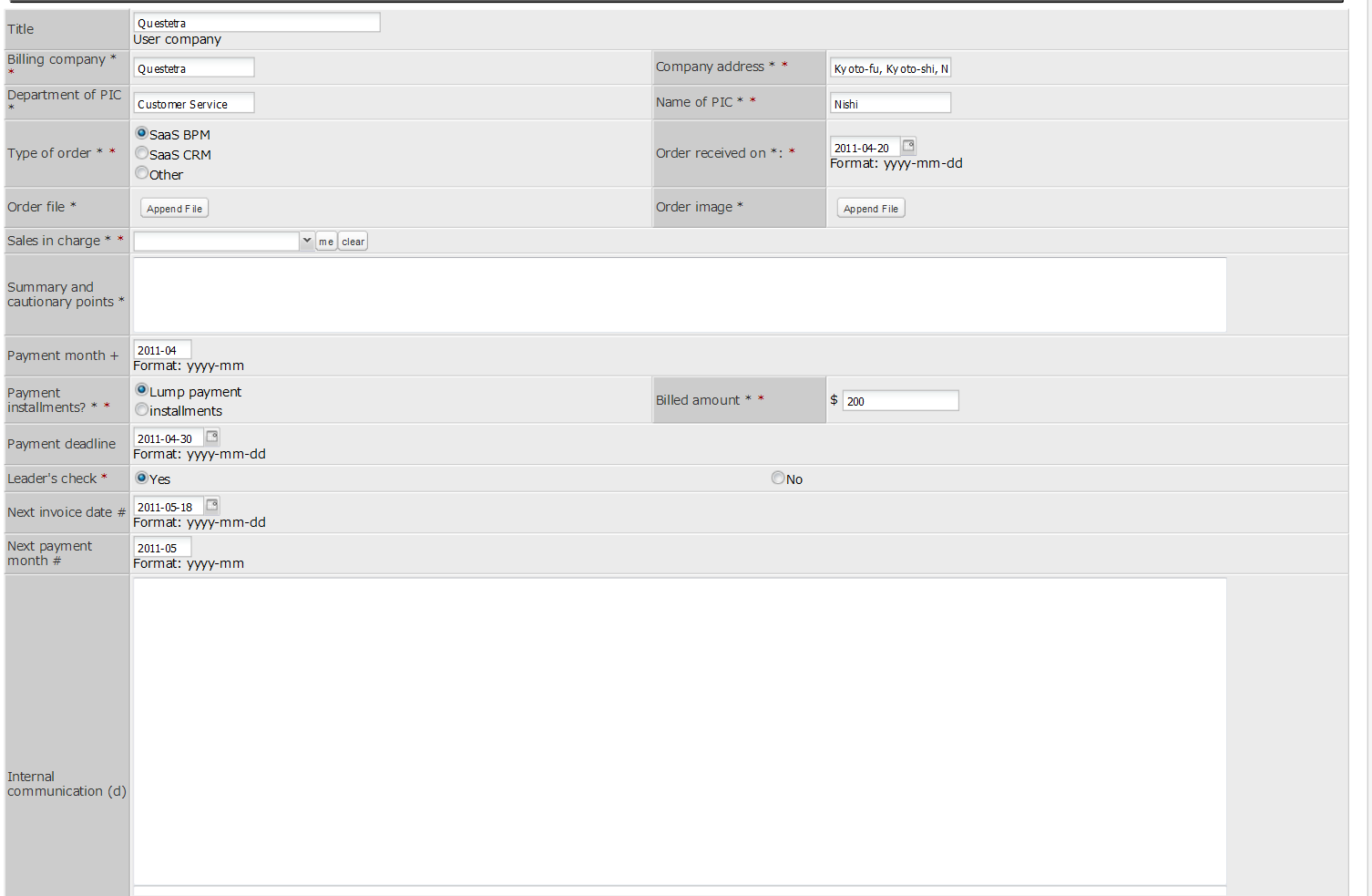
About account payable, a lot of complicated requests will be heard.
Today's workflow is a spin-off of yesterday's "Improving Your Accounts Payable Process in Steps."
<Tasks>
0. Prediction, 1. Receive Invoice, 2. Approve Payment, 3. Inquiries, 4. Payment
- Want to know about payment before the bill comes in.
- Want to divide production cost from general cost.
Today's workflow is a spin-off of yesterday's "Improving Your Accounts Payable Process in Steps."
<Tasks>
0. Prediction, 1. Receive Invoice, 2. Approve Payment, 3. Inquiries, 4. Payment
[Accounts Payable Management - Predictive Management: "2. Approve Payment" screen]
To continuously improve business processes is to polish corporate competitiveness. In particular, the financial, information communication and distribution industries are already beginning to have established BPM practices. More vendors who offer BPM systems have a variety of workflow templates.
The primary areas for BPM application include complaint management, loan approvals, management of accounts payable in resource management and procurement, reimbursement management and asset management. Corporations with a long history of BPM activities tend to apply BPM to difficult business processes, such as management of accounts payable and budget planning.
The below workflow is a very simple form of accounts payable management. There is no Swimlane representing the accounting department, but if they refer to the list of approved invoices, they can pay them at once at the end of the month.
<Tasks>
1. Receive Invoice, 2. Approve Payment, 3. Inquiries
<Process Data Items>
Of course, it would not be bad to define the role of accounting. That way, the upstream purchasing employee can see whether the downstream accounting made the payment or not. Of course, the deadline of [4. Make Payment] corresponds to the process data item "payment deadline."
<Tasks>
1. Receive Invoice, 2. Approve Payment, 3. Inquiries, 4. Make Payment
The primary areas for BPM application include complaint management, loan approvals, management of accounts payable in resource management and procurement, reimbursement management and asset management. Corporations with a long history of BPM activities tend to apply BPM to difficult business processes, such as management of accounts payable and budget planning.
The below workflow is a very simple form of accounts payable management. There is no Swimlane representing the accounting department, but if they refer to the list of approved invoices, they can pay them at once at the end of the month.
<Tasks>
1. Receive Invoice, 2. Approve Payment, 3. Inquiries
[Management_Supervisor : "2. Approve Payment" screen]
<Process Data Items>
- title <<Payee and use (ex: Japan Printing/50000 leaflets)>>
- Payment to (string)
- Amount (numeric)
- Ordered on (date)
- Payment deadline (date)
- Summary of invoice (string: text box 3 lines)
- Scanned invoice (file)
- Supervisor approval (select:OK/No)
- Correspondence (discussion)
Of course, it would not be bad to define the role of accounting. That way, the upstream purchasing employee can see whether the downstream accounting made the payment or not. Of course, the deadline of [4. Make Payment] corresponds to the process data item "payment deadline."
<Tasks>
1. Receive Invoice, 2. Approve Payment, 3. Inquiries, 4. Make Payment
Ringi processes that are authorized by the board of directors probably should be confirmed by the directors beforehand. And if possible, acquire advice from the directors beforehand.
Sometimes you're asked a question by a board member and don't know what to say!
Expand "Processing Ringi Approvals Simultaneously" and improve them.
FYR:
<Tasks>
1. Start Ringi, 2. Supervisor Approval, 2ab. Approval A/B, 3. Approve/Authorize, 4. Approve/Authorize, 5. Approve/Authorize
Sometimes you're asked a question by a board member and don't know what to say!
Expand "Processing Ringi Approvals Simultaneously" and improve them.
FYR:
<Tasks>
1. Start Ringi, 2. Supervisor Approval, 2ab. Approval A/B, 3. Approve/Authorize, 4. Approve/Authorize, 5. Approve/Authorize
[Ringi <Confirmation Beforehand>: "5. Approve/Authorize" screen]
If your company often has multiple directors approve ringisho, we have a solution! Let's expand our previous sample, "Accelerating Ringi Workflows with Smartphones."
The below workflow can request approvals from Approver A (and B) BEFORE the director's approval.
<Tasks>
1. Start Ringi, 2. Supervisor Approval, 2ab. Approval A/B, 3. Approve/Authorize, 4. Approve/Authorize, 5. Approve/Authorize
The below workflow can request approvals from Approver A (and B) BEFORE the director's approval.
<Tasks>
1. Start Ringi, 2. Supervisor Approval, 2ab. Approval A/B, 3. Approve/Authorize, 4. Approve/Authorize, 5. Approve/Authorize
[Ringi <Additional Approver>: "3. Approve/Authorize" screen]
- In Japan, when an employee wants to buy something or hire part-time workers, he makes something similar to a letter and sends it to his boss. This is called a ringisho.
- In Japan, the beginning of May is full of national holidays, and some people may use paid holidays to fill up the gaps and create a ten-day long break. That's why April 29 to the first week of May is called "Golden Week."
- In Japan, business negotiations hardly make progress during this time...
*Trivia... Because it started out as a movie industry advertisement term, public bodies still do not use "Golden Week" at all. Nevertheless, the Japanese populace has embraced the happy title.
<Tasks>
1. Start Ringi, 2. Supervisor Approval, 3. Approve/Authorize, 4.Approve/Authorize, 5.Approve/Authorize
[Ringi <By Amount>: "Supervisor Approval" screen]
Designing process models involves three elements: flow, organization and data. While it's true that designing the flow requires brainpower, setting the data is another thing that demands a different kind of ability. In particular, workflows that influence accounting systems usually have a lot of input fields and can be a pain.
For today's sample we're going to use the process data items from our article, "Should Sales Staff Check Sent Invoices?." We must add, though, that before implementing the sample workflow in your own company you should spend adequate time contemplating whether or not these items are appropriate for your organization.
<Tasks>
1. Input Order/Invoice Information, 2. Confirm Invoice Data, 3. Create Invoice, 4. Review Invoice, 5. Send Invoice, 6. Confirm Payment
For today's sample we're going to use the process data items from our article, "Should Sales Staff Check Sent Invoices?." We must add, though, that before implementing the sample workflow in your own company you should spend adequate time contemplating whether or not these items are appropriate for your organization.
<Tasks>
1. Input Order/Invoice Information, 2. Confirm Invoice Data, 3. Create Invoice, 4. Review Invoice, 5. Send Invoice, 6. Confirm Payment
[Invoice Issuance <Next Month>: "1. Input Order/Invoice Information" screen]
Document reviewing is often the perfect theme to start business process designing with. In particular, a general review process is a great way to get used to BPM and workflows, for the designer as well as employees. It's just simple.
After you run the business process for a while, you will end up with a pile of past reviewed documents (know-how). And you will also learn about processes that need to be revised.
<Reference>
<Tasks>
1. Register Document, 2a. Departmental Review, 2b. Company Review, 3. Confirm Completion
After you run the business process for a while, you will end up with a pile of past reviewed documents (know-how). And you will also learn about processes that need to be revised.
<Reference>
<Tasks>
1. Register Document, 2a. Departmental Review, 2b. Company Review, 3. Confirm Completion
[Document Review <Change Reviewers> : "Email" setting]
Processing salaries is an important job. The person in charge of this has to collect each employee's total work time and calculate overtime compensation, compensation for working on holidays, and late night compensation.
Today's workflow sample assumes all employees report their attendance records in their own attendance file (Excel). They have to submit this every month, but they can use the same file over the course of one year, with 12 separate sheets within the file. Basic information (Process Data) can be copied from the previous month.
<Tasks>
1. Request Attendance Log, 2. Input Attendance Log, 3. Supervisor Confirmation, 4. Revise, 5. Accounting Confirmation
Today's workflow sample assumes all employees report their attendance records in their own attendance file (Excel). They have to submit this every month, but they can use the same file over the course of one year, with 12 separate sheets within the file. Basic information (Process Data) can be copied from the previous month.
<Tasks>
1. Request Attendance Log, 2. Input Attendance Log, 3. Supervisor Confirmation, 4. Revise, 5. Accounting Confirmation
[Attendance Report <Bypass Input>: "2. Input Attendance Log" screen]
One of the most frequent discussions when defining process models (workflows) is the problem of who should start the workflow. In the sample workflow of "A Workflow for Keeping Master Files Updated", anyone in the accounting team could start the process, but for organizations that don't have frequent updates (say, up to ten updates a month) it may be good to implement a rule saying only the accounting leader can start the process. (The process has the same purpose, but a completely different flow.)
Subscribe to:
Posts
(
Atom
)


